next303Android & iOS App
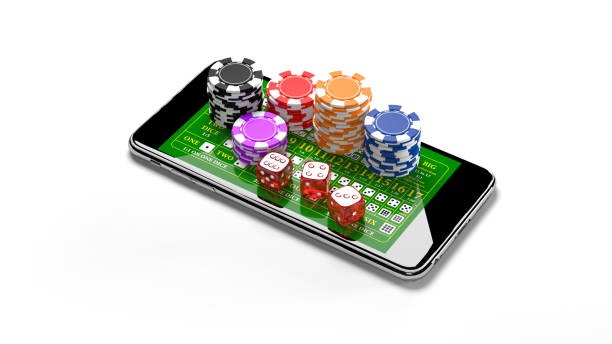
We at next303 built our mobile app to bring live football, casino tables, and slot games directly to your device. Whether you're in Jakarta, Surabaya, or Bandung, our app keeps you connected to Liga 1 matches, Piala AFF tournaments, and live dealer studios wherever you are. The app works on Android and iOS, and we also offer a web-based option for browsers on any device.
- LoginOTP Verification
- and
- DownloadAPK
- StartFirst Game
Mobile-first design matters because our users often access next303 during breaks, commutes, or downtime. We've optimized the app for speed, offline functionality, and seamless payment integration with e-wallet, mobile banking, local payment, online payment, e-wallet, mobile banking, and major Indonesian banks. You get the same account, the same markets, and the same withdrawal flow whether you use the app or the web version.
Our next303 app is available only in jurisdictions where our services are lawfully permitted. We do not offer our services in regions where online wagering is prohibited. If you're unsure whether next303 is available where you are, reach out to our support team before you download or install.
How to access next303 on mobile
We offer three paths to access next303 on your phone: a native Android APK, a mobile-optimized web app for iOS and Android browsers, and a progressive web app (PWA) that works across all devices. Each path has its own strengths, and you can choose based on your device, preference, and network conditions.

Installation and setup on next303
Step-by-step installation
-
1
Download the APK or open the web linkDownload
For Android, download the next303 APK file from our official link; for iOS or browser access, visit our web app directly.
-
2
Install or allow browser accessInstall
On Android, enable installation from unknown sources in your device settings, then tap the APK file. On iOS or browser, simply open the link in Safari or your preferred browser.
-
3
Create or log into your next303 accountAccount
If you're new to next303, open an account with your email or phone number. If you already have an account, log in with your credentials.
-
4
Deposit and start exploringReady
Add funds via DANA, e-wallet, mobile banking, local payment, online payment, e-wallet, or your bank account, then browse live football, casino tables, and slots.
App versus browser: which is right for you
Our next303 app offers offline caching, so you can view game schedules and account details even without an active internet connection. The app also sends push notifications for live match updates, cashback offers, and withdrawal confirmations. Installation is a one-time step, and the app launches faster than a browser on repeat visits. However, the web version works on any device without installation, updates automatically, and requires no storage space on your phone. Choose the app if you want speed and notifications; choose the browser if you prefer simplicity and flexibility.
Progressive web app (PWA) option
We also offer a PWA that combines app-like speed with browser convenience. On Android or iOS, you can add next303 to your home screen and use it like a native app without visiting an app store.

Device compatibility and troubleshooting on next303
Supported devices and operating systems
Our next303 app runs on Android 7.0 and later, and our web app works on iOS 12 and later. Most phones and tablets from the past five years meet these requirements. If your device is older, the web version may still work in your browser, though performance might be slower. We recommend updating your operating system to the latest available version for your device to ensure smooth gameplay, secure transactions, and access to all next303 features.
Common installation issues and solutions
If you see a warning about "unknown sources" on Android, this is normal for APK files outside the Google Play Store. Go to your device settings, find the security or apps section, and enable installation from unknown sources temporarily. Some devices also show a certificate trust warning; this is a standard security check and does not indicate a problem with next303. If the APK file does not download, check your internet connection, clear your browser cache, and try again. For iOS users, if the web app does not load, try clearing your Safari cache or using a different browser like Chrome or Firefox.
Data, permissions, and account security
When you install or access next303, we request permission to access your device's internet connection, storage (for offline caching), and notifications. We do not access your contacts, photos, or other personal files. Your account credentials are encrypted during transmission and stored securely on our servers. We use industry-standard security practices to protect your login details, payment information, and account balance. If you suspect unauthorized access to your next303 account, change your password immediately and contact our support team. Always log out after each session, especially on shared devices, and never share your password or one-time verification codes with anyone.
We at next303 keep your data protected through encryption, secure payment gateways, and regular security audits.
Network performance and weak connectivity
Our next303 app is optimized for low-bandwidth environments. If you're on a slow connection, the app will load images and video streams progressively, so you can still place bets and check your account balance. The PWA version caches essential data, allowing you to view schedules and account details offline. If you experience lag or timeouts, try closing other apps, moving closer to your router, or switching between WiFi and mobile data. For users in areas with intermittent connectivity, the web version may be more reliable because it does not depend on local storage.
If you encounter any issues with the app, installation, or account access, our support team is available to help you troubleshoot and resolve the problem.